 Dami
DamiCurrency converter for iPhone
The fast, friendly way to convert currency.
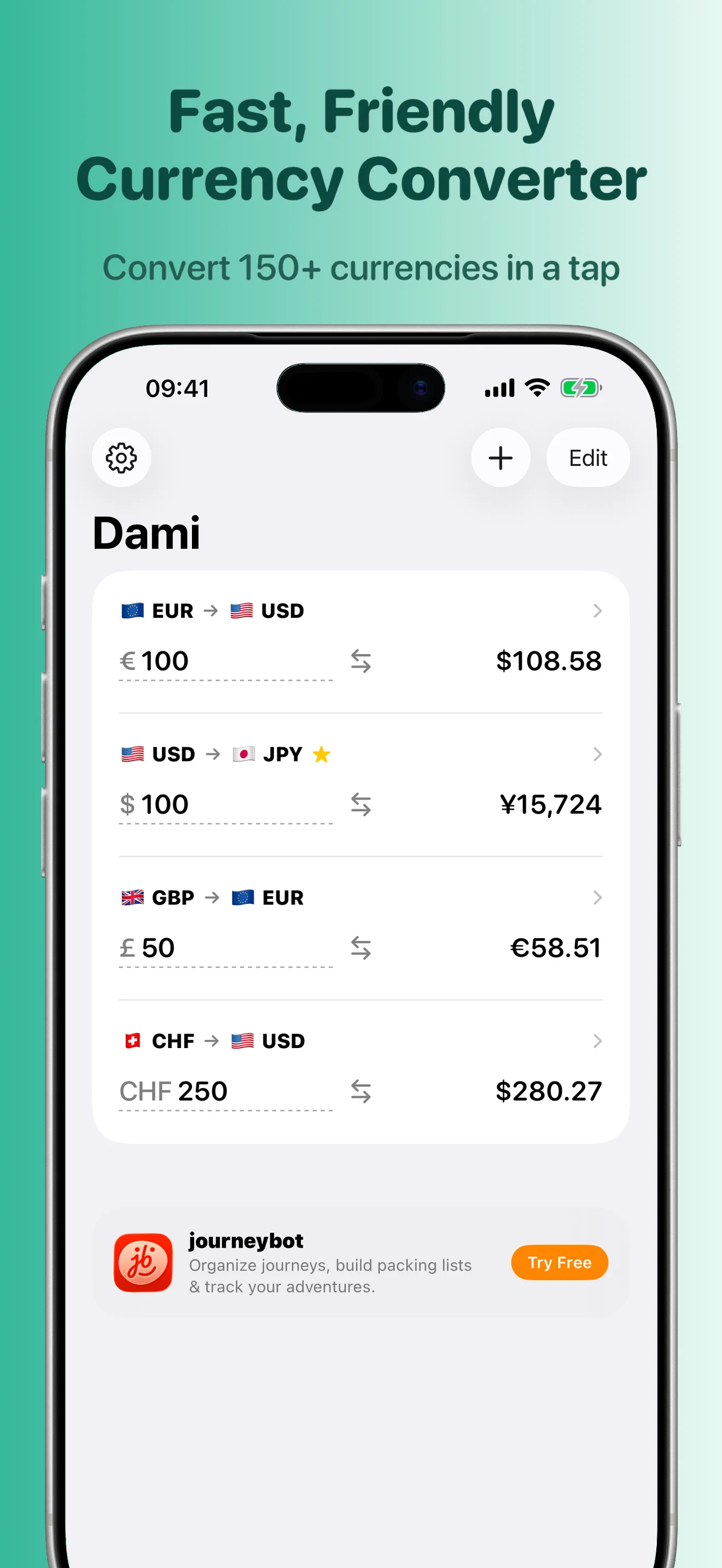
Convert 150+ currencies instantly — even with no signal. Dami caches the latest rates on your iPhone, does the math for you, and puts your favorite pairs right on the Home Screen.

Free · iPhone · Works offline · No ads, no account
Dami is a free currency converter for iPhone that works offline and puts live exchange rates on your Home Screen. Built for travelers, shoppers, and anyone who moves between currencies — no ads, no account, no subscription. Just an optional tip jar.
Features
What does Dami do?
Everything a trip abroad needs, one tap away — nothing to configure, nothing in your way.
Does your math
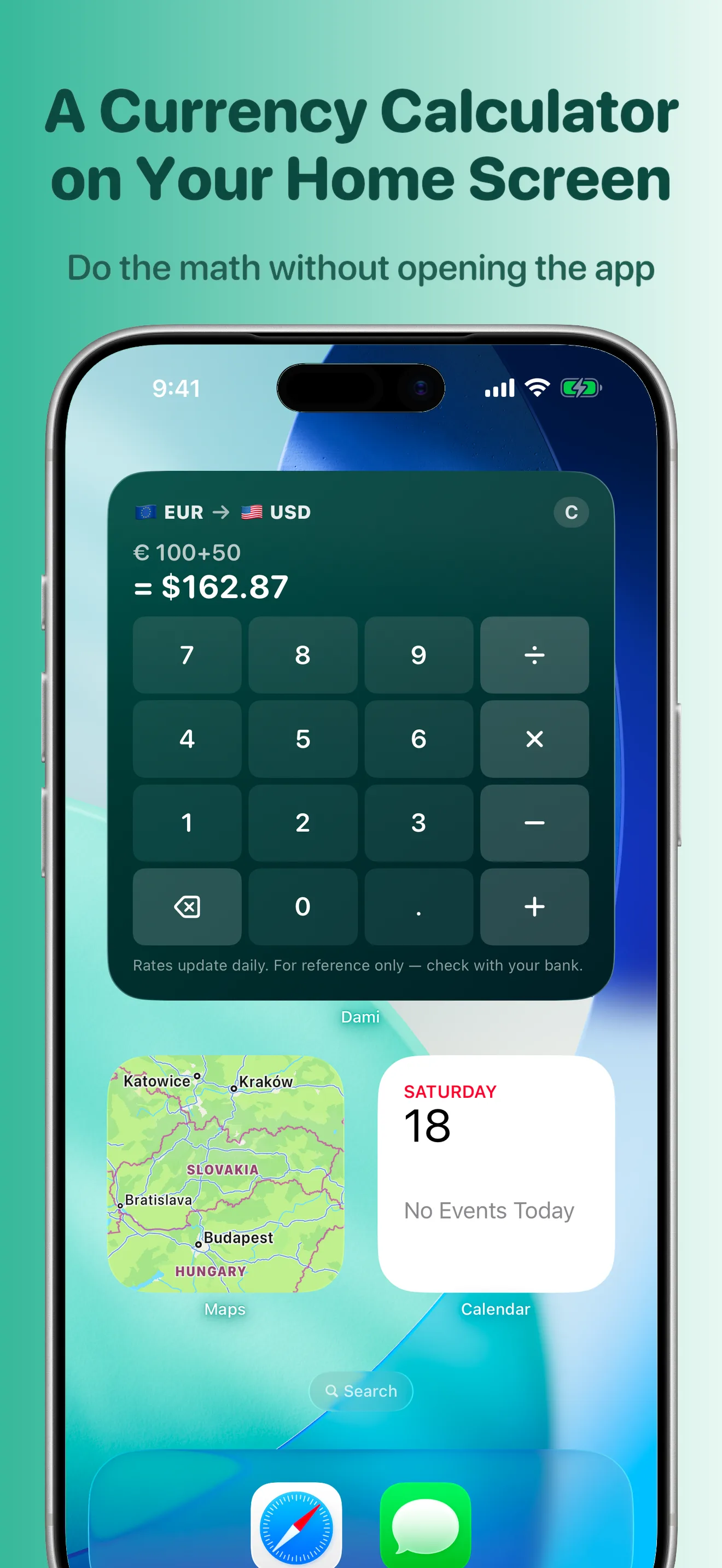
Type 20 + 10 or 100 / 4 straight into the amount field — split a bill, add up receipts, count cash. Operator keys sit right above the keyboard.
Works offline
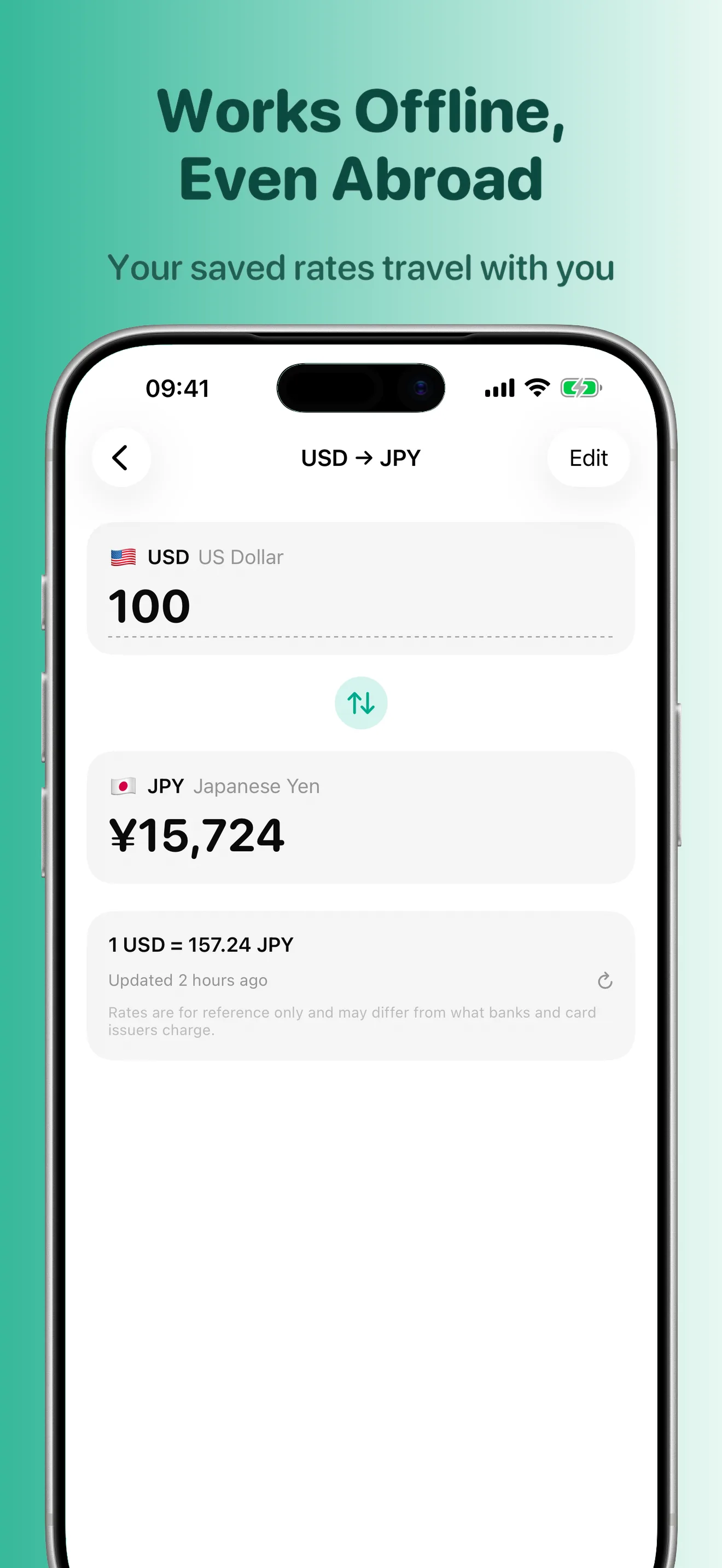
The latest rates are cached on your iPhone, so conversions keep working in airplane mode or abroad with no signal.
Built for speed
Type an amount and every saved pair updates instantly. No spinners, no waiting, no clutter.
150+ currencies
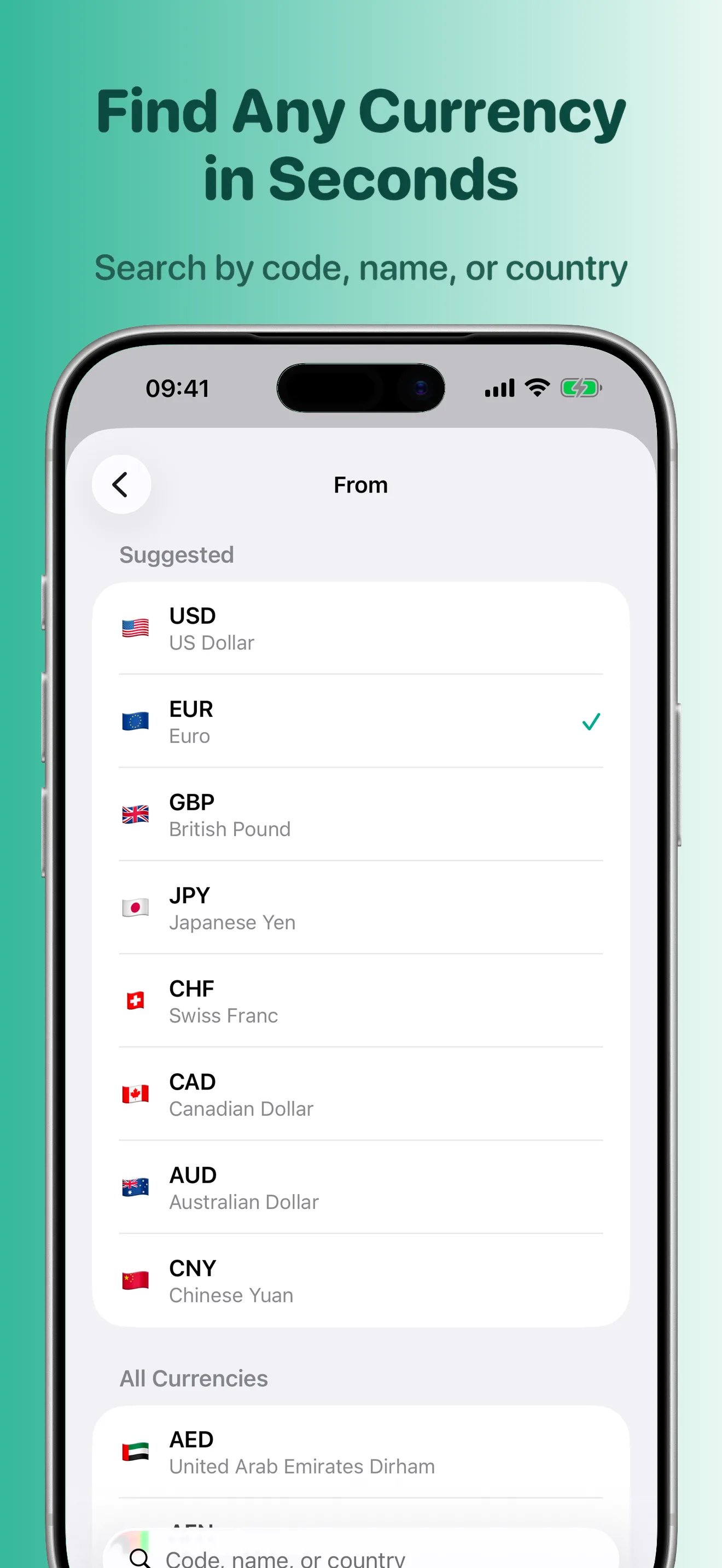
Search by code, name, or country — find any foreign currency fast, with flags so you never mix up dollars.
Swap in a tap
Flip the source and target currency with a single tap — euros to dollars, dollars to euros.
Widgets on your Home Screen
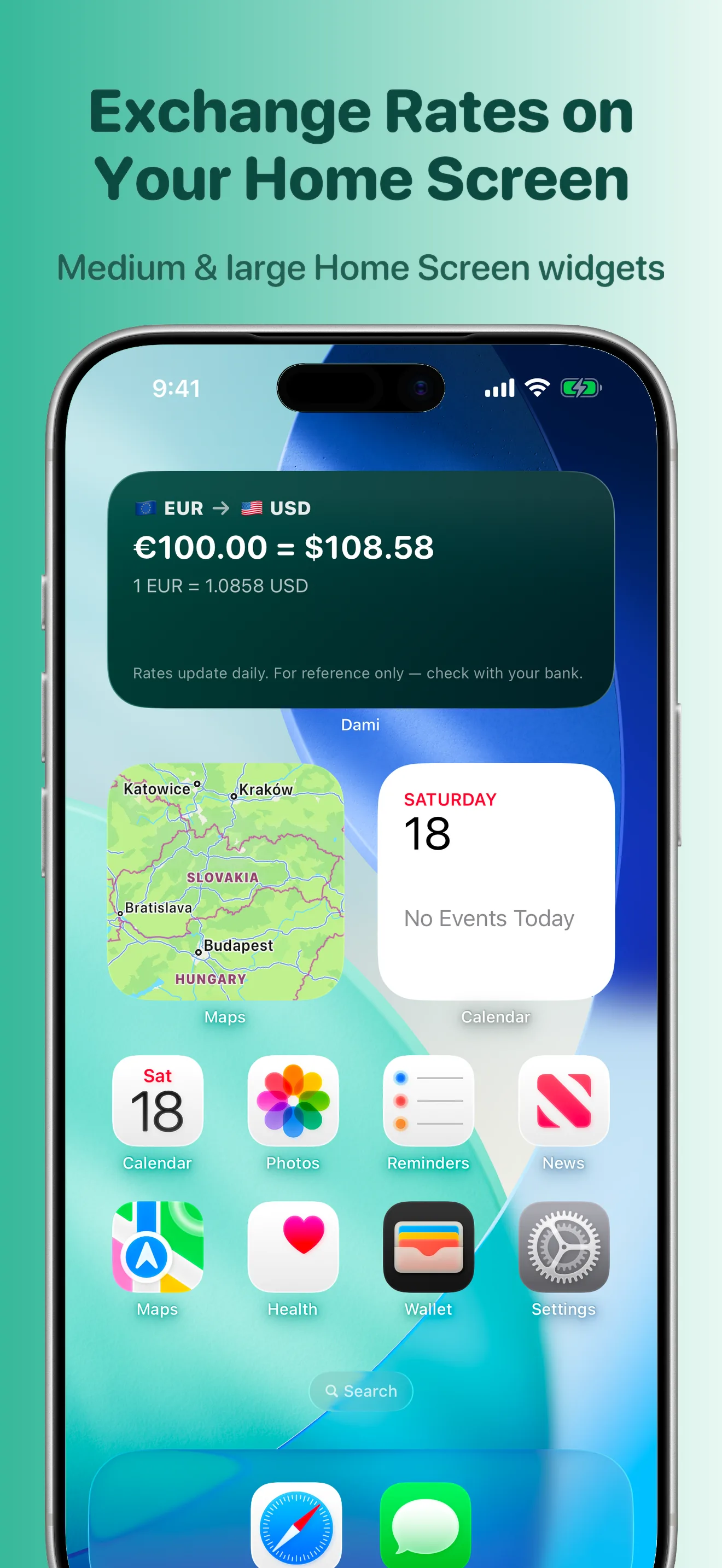
The medium widget shows your favorite pair and how fresh the rate is, at a glance. The large widget is a full calculator you can tap — without opening the app.
Synced via iCloud
Saved pairs, their order, and your preferences follow you to every iPhone you own — automatically.
Screenshots
See it in action
Private by design
Your conversions are yours.
Read the privacy policy →Dami never collects the amounts you enter or the currencies you convert. No analytics, no ads, no account. The app downloads a rate table — the same one for everyone — and nothing about you goes the other way.
FAQ
Frequently asked questions
What is Dami?
A free currency converter for iPhone that works offline, understands math typed into the amount field, and puts live exchange rates on your Home Screen with widgets.
How much does Dami cost?
Nothing. The full app is free forever — no ads, no account, no subscription, no feature limits. If Dami saves you time or money on a trip, you can leave a small optional one-time tip.
Does Dami work offline?
Yes. Dami caches the latest exchange rates on your iPhone, so you can convert in airplane mode, on the subway, or roaming abroad with no signal. Rates are clearly timestamped, so you always know how fresh your numbers are.
How many currencies does Dami support?
Over 150 world currencies. Search by currency code, name, or country, then swap the source and target currency with a single tap.
Can I type math into the amount field?
Yes. Dami understands simple arithmetic, so you can enter "20 + 10" or "100 / 4" directly into the amount field — handy for splitting a bill or counting cash while traveling.
What widgets does Dami have?
Two Home Screen widgets. The medium widget shows the conversion for a favorite pair and how fresh the rate is, at a glance. The large widget is a full interactive calculator you can tap right on the Home Screen — no need to open the app.
Are the exchange rates live bank rates?
Rates refresh regularly whenever you're online, and Dami never pretends a cached rate is live. Rates are provided for reference only and may differ from real-time market rates or the rate your bank or card applies.
Does Dami track what I convert?
No. Dami never collects the amounts you enter or the currencies you convert, and uses no analytics or ads. Your conversions are yours.
Which devices does Dami support?
iPhone running iOS 26 or later. Saved pairs, their order, and your preferences sync automatically via iCloud across all your iPhones.
Other apps
From the same studio
Loam — small apps, crafted with care.

journeybot
Organize journeys, build packing lists & track your adventures.
Try Free
Kahudo
Addictive poker puzzle solitaire — build hands, beat the board.
Play Free
Timo
World clock & time zones for iPhone — your cities, side by side.
Try Free
Hotspot Meter
Track Wi-Fi & hotspot data usage on your Mac, live in the menu bar.
Free